

In a move that industry analysts are calling the most significant shift in browser technology since the smartphone era, the company has embedded its flagship AI model, Gemini, directly into Chrome. Not as a tab you can open. Not as an extension you have to install. As a core part of the browser itself thinking quietly in the background, ready the moment you need it.
The rollout, which began in 2024 and has accelerated sharply through 2025 and into 2026, now touches over three billion Chrome users worldwide. And for many of them, the experience of being online is already starting to feel different.
Google Makes Its Move: What Just Changed and Why It Matters
For decades, the browser was a passive tool. It took you where you wanted to go. It remembered your passwords. On a good day, it blocked an ad or two. But it never thought. It never helped. It never understood what you were actually trying to accomplish.
That changed when Google began wiring Gemini the same AI model family that powers its most advanced search and productivity tools directly into Chrome’s architecture.
The integration is not superficial. Gemini does not sit alongside Chrome as a chatbot widget. It runs inside it, accessing the content of pages you visit, understanding the context of your work, and offering assistance that is calibrated to what you are actually doing at any given moment. For users, this means the gap between having a question and getting a useful answer has effectively collapsed.
“This is not a feature,” one observer close to Google’s product development noted earlier this year. “This is a new category of tool.”
Breaking Down the Technology: How Gemini Works Inside Chrome
At the heart of the integration is Google’s tiered model architecture. Gemini comes in three variants Ultra, Pro, and Nano each designed for different tasks and environments.
Gemini Nano, the most compact version, runs entirely on-device. This means it can power certain Chrome features without ever sending data to a server an important distinction for users concerned about privacy. More demanding tasks are handled by Pro and Ultra through Google’s cloud infrastructure, with the model selection happening automatically in the background based on what the task requires.
The result is a system that is both fast and flexible. For a quick summary of the article you are reading, Nano handles it locally in milliseconds. For a complex research task that requires synthesising information from multiple sources, the heavier cloud models step in.
This architecture also means Chrome’s AI features work across a wide range of devices from high-end laptops to lower-specification Chromebooks without compromising the experience.
What Gemini Actually Does in Your Browser: The Feature Breakdown
Tabs, Finally Under Control
Anyone who has worked in a browser for more than an hour knows the problem: tab sprawl. Thirty open pages, each a small act of optimism, rapidly becoming an unmanageable mess.
Ai Gemini has a fix. The AI can analyse the actual content of every open tab not just the page title or URL and automatically organise them into labelled groups. Travel research goes in one cluster. Work documents in another. Shopping in a third. The groups are named by Gemini based on what the pages are actually about, not what they are called.
It sounds like a small thing. Users who have tried it report that it is not.
Reading the Web So You Do Not Have To
Long-form content is everywhere online. Long-form patience is increasingly scarce. Gemini addresses this mismatch directly with on-page summarisation the ability to distil any article, report, research paper, or product page into a clear, concise summary at the tap of a button.
For professionals who need to process high volumes of information quickly analysts, researchers, journalists, executives — this is a material change in how efficiently the web can be used as a resource. Crucially, the summaries are not boilerplate. Gemini reads the specific content in front of it and produces output tailored to that page.
The capability extends to some of the most demanding reading formats: legal documents, financial filings, technical specifications, academic studies. The areas, in other words, where good summarisation matters most and bad summarisation is most costly.
A Writing Partner in Every Text Box
Gemini does not stop at reading. It helps users write anywhere in Chrome where text can be entered.
Composing an email in Gmail? Gemini can draft it from a few bullet points, adjust the tone, or tighten the language. Leaving a comment? It can suggest clearer phrasing. Filling out a complex form? It understands the format and can guide the response.
What distinguishes this from a standalone AI writing tool is context. Because Gemini is embedded in the browser, it knows what you are doing when you start typing. If you are replying to a customer complaint, it understands the thread. If you are reviewing a legal document and need to draft a response, it has read the document you are responding to. The assistance is relevant in ways that a disconnected writing tool simply cannot match.
The Side Panel: A Research Partner on Every Page
The Gemini side panel a persistent interface that can be opened alongside any webpage is arguably the most visible sign of just how deeply the AI has been integrated into Chrome.
From the side panel, users can ask questions about the content of the page they are reading, request deeper background on topics mentioned in an article, compare products, check facts, or simply have a back-and-forth conversation with Gemini about whatever they are researching.
The effect is striking. Reading a news article about a geopolitical development and want more historical context? Ask. Browsing a laptop on a retail site and want to know how it stacks up against alternatives? Ask. The browser, for the first time, answers back — with knowledge grounded in both the page in front of you and Gemini’s broader understanding of the world.
Breaking Language Barriers in Real Time
Chrome has offered translation for years. Gemini has made it significantly better.
Where the previous system converted text word-for-word according to rules, Gemini translates with contextual understanding handling idioms correctly, distinguishing technical terminology from general usage, and preserving the register and tone of the original text. For users who regularly consume content in multiple languages, or who need to communicate across language barriers, the improvement is immediately noticeable.
Accessibility has also taken a step forward. Gemini can generate richer, more accurate descriptions of images on webpages for screen reader users, making content that was previously unavailable or poorly described meaningfully more accessible.
Meet the Models: A Closer Look at Gemini’s AI Family
Not all Gemini is created equal and understanding the difference matters if you want to make the most of what Chrome now offers.
Google’s Gemini family currently spans three distinct models, each occupying a different tier of capability and deployment. At the top sits Gemini Ultra, the most powerful variant, designed for the most complex reasoning tasks: multi-step research synthesis, nuanced content generation, and advanced multimodal analysis where the AI must interpret images, text, and data together. Ultra is the model doing the heavy lifting when a task demands genuine depth.
In the middle is Gemini Pro, the workhorse of the family. Pro strikes the balance between raw capability and practical speed that makes it suited to everyday AI assistance summarising a long document, drafting a professional email, answering detailed research questions via the side panel. For most users, most of the time, Pro is the model they are interacting with when Gemini steps in through Chrome’s cloud connection.
Read More:
- TechCrunch Com Review 2026: Unveiling the Ultimate Resource for Tech Enthusiasts

- Die Bewegung der Erde: Geschwindigkeit & Fakten erklärt
- Ayatollah Ali Khamenei Reported Dead After U.S.–Israeli Offensive, Iranian State TV Says
- DeepSeek Builds AI Model on Nvidia Chip Despite Ban, Officials Confirm
- iPhone 17e Arrives March 2026: Is This Apple’s Biggest Upgrade Yet?




Then there is Gemini Nano, and this is perhaps the most consequential model for the browser specifically. Nano was engineered to run entirely on-device on your laptop, your Chromebook, your phone without ever sending data to a remote server. It is smaller and faster than its siblings, optimised for the kinds of quick, contextual tasks that need to happen in real time: smart tab suggestions, writing tone adjustments, brief content summaries. Because Nano works locally, it also operates when connectivity is limited, and it does so without raising the privacy concerns that cloud processing inevitably invites.
What makes this three-tier architecture significant for Chrome users is that the model selection happens invisibly. You do not choose which Gemini to use. Chrome and Gemini assess what you need, route the task to the appropriate model, and return an answer, all before most users would notice any processing has taken place. The experience is seamless by design, even if the engineering behind it is anything but simple.
Google has also signalled that the Gemini family is not static. New versions and capabilities are expected to roll out progressively into Chrome, meaning the AI inside the browser users have today will be meaningfully more capable within months, not years.
The Privacy Question: Who Sees What?
The integration of an AI model with access to the content of every webpage a user visits raises legitimate questions and Google has anticipated them.
For features powered by Gemini Nano, processing happens entirely on the user’s device. The data does not leave the machine. For cloud-dependent features, Google has stated that browsing data used to power Gemini is not fed back into AI training without explicit user consent, and that controls are available in Chrome’s settings to manage exactly what is and is not shared.
Users can enable or disable individual Gemini features independently, meaning those with privacy concerns can take a selective approach rather than an all-or-nothing one. That said, privacy advocates have called for greater transparency around how data flows through the system, and this debate is likely to intensify as the integration deepens.
The AI Browser War: Chrome vs. Edge vs. Everyone Else
Google is not alone in recognising that the browser is the next major AI battleground.
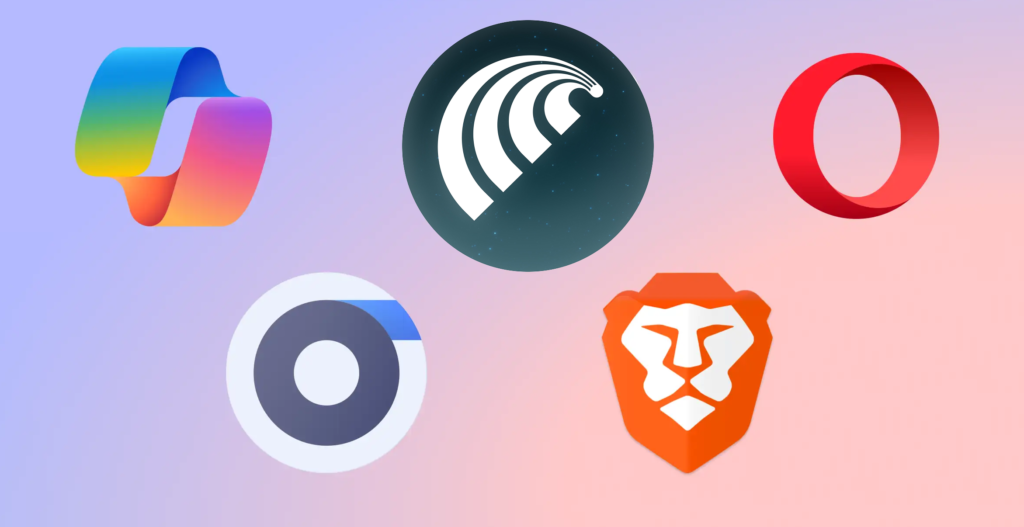
Microsoft has moved aggressively to integrate Copilot built on OpenAI’s technology into Edge, with particular emphasis on enterprise users who are already embedded in the Microsoft 365 ecosystem. Arc browser has carved out a following with its own AI features. Even smaller players are racing to position themselves in a market that, until recently, had seen little meaningful innovation in years.
Chrome’s structural advantage is scale. Three billion users is a distribution channel that no competitor can match. Its integration with Google’s broader ecosystem Search, Maps, YouTube, Workspace means Gemini in Chrome sits at the centre of a web of tools that most users already rely on daily.
Edge’s strength, conversely, lies in enterprise depth. For organisations already running Microsoft 365, Copilot in Edge can surface documents, emails, and meeting notes with a fluency that is hard for Chrome to replicate in those specific contexts.
For users, the competition is producing results fast. The pace of feature development across AI-integrated browsers in 2025 and early 2026 has been rapid, and there is no sign of it slowing.
Early Reactions: What Users and Experts Are Saying
Response to Gemini’s Chrome integration has been broadly positive, though not uniformly enthusiastic.
Power users and knowledge workers have responded most strongly. Those who spend long hours in the browser researchers, writers, analysts, developers report genuine productivity gains from the summarisation and writing assistance features in particular. The tab organiser has found a devoted following among users who previously managed their browser workflows with complex extension setups.
More casual users have been slower to engage with the features, which still require some deliberate discovery and activation. Google has been gradually surfacing the capabilities more prominently in the Chrome interface, a sign that adoption numbers are a priority.
Critics have raised two consistent concerns. The first is accuracy. AI models, Gemini included, can generate plausible-sounding but incorrect information a risk that is heightened when users are relying on AI summaries for research or decision-making. Google has worked to ground Gemini’s responses in the actual content of the pages being viewed, which reduces but does not eliminate this risk.
The second concern is dependency. If users increasingly rely on Gemini to summarise, write, and organise on their behalf, what happens to the underlying skills? This is a broader debate about AI that extends well beyond Chrome, but it is one that thoughtful users and educators are increasingly raising.
What Comes Next: The Road Ahead for AI Browsing
The current generation of Gemini features is, by Google’s own account, a beginning.
The company has signalled that future development will focus on making Gemini more proactive shifting from a model where users ask and Gemini responds, to one where the AI anticipates needs and surfaces assistance before users have to request it. A browser that notices you have been researching a particular topic and proactively surfaces related information. A browser that recognises you are in the middle of a project and organises your session around it.
Personalisation is also on the roadmap. Gemini in Chrome is expected to develop deeper awareness of individual users’ habits, interests, and communication styles over time producing assistance that is calibrated to the specific person using it rather than a generic user profile. The privacy implications of this level of personalisation will require careful navigation.
Deeper integration with the broader Google ecosystem seamless movement between Chrome research, Google Workspace documents, Gmail communication, and Google Calendar scheduling, with AI threading through all of it appears to be the long-term architectural vision.
Conclusion: The Browser Just Got a Brain
The integration of Gemini into Chrome is the most consequential change to happen to the web browser in a generation. It is also one that is easy to underestimate, because the interface has not dramatically changed. Chrome still looks like Chrome. The address bar is still there.
But behind that familiar surface, something fundamentally different is now happening. The browser is thinking. It is reading. It is helping. And as the technology matures and the features deepen, the gap between what browsers used to be and what they are becoming will only grow wider.
For Google, this is a pivotal bet on the future of AI not as a product people visit, but as a layer woven into the tools they already use every day. For users, it is an invitation to rethink what browsing means, and what is now possible.
